I have started working on a project with lots of load & performance testing, which I really enjoy setting up and executing. However one of the tasks is L&P on a new implementation of Oracle ADF WebCenter, which turned out to be somewhat of a headache. The tools I use for L&P are typically Apache JMeter, Fiddler2, BadBoy and possibly The Grinder, JCrawler or LoadUI.
For the testing of the Oracle WebCenter I picked JMeter. 
The site under test is an intranet with a sizeable community using it. Especially start of day has a tendency to give some heavy hits on the most dynamic pages of the site, so these pages were my focus area. Unfortunately these pages are all behind a login. This login is generally, since the majority of these users use IE, done via Single Sign On where WebCenter verifies the user based on the Windows credentials and grants access based on that.
Going through the SSO login is not possible with JMeter, first of all since JMeter is not a browser, it merely acts to a certain extend as a browser and secondly JMeter has no access to my Windows username, at least not as far as I know. So I got served a login page. Usually getting past a login page with JMeter is fairly easy, the login page I received however didn’t like my passing a username and password in the post call via HTTP (intranet, so no SSL used obviously, cause the intranet is “safe”, right?).
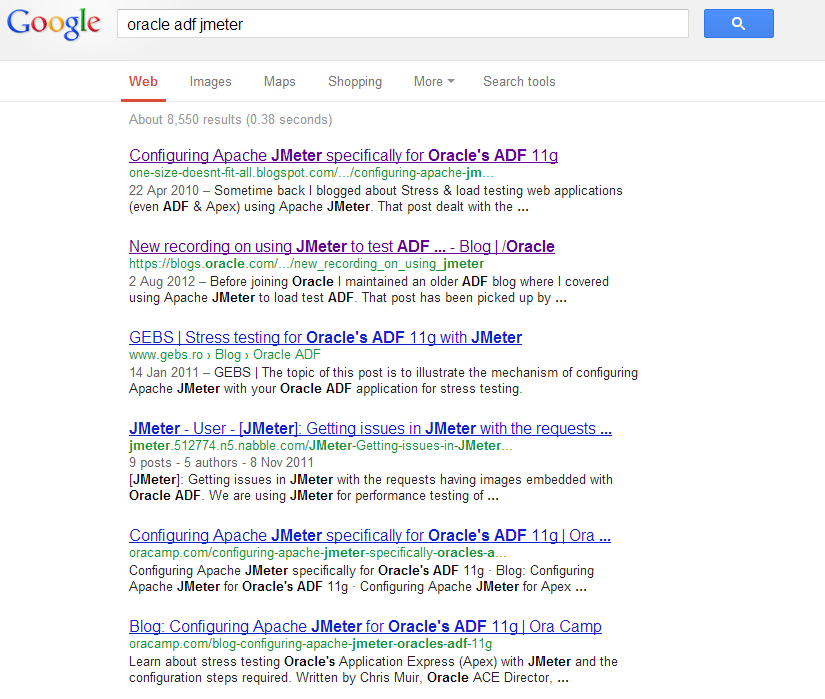 Oh well, let’s google how to get through to the WebCenter main pages. It’s Oracle so someone is bound to have written something sensible about it! Googling the terms “Oracle ADF Jmeter” gave me some nice hits. Titles such as “Configuring Apache JMeter specifically for Oracle’s ADF 11g” or even better, a post on the Oracle Blogs “New recordings on using JMeter to test ADF applications” including links to a demo video.
Some excerpt from these posts:
Sometime back I blogged about Stress & load testing web applications (even ADF & Apex) using Apache JMeter. That post dealt with the generic setup of recording a web session and then replaying under load via JMeter.
In the demo video a bit of a delusional idea of recording and then playing back the Load test “… is a free tool for essentially recording any HTTP session … and then you can replay it …” (this is in the beginning seconds of the demo, so no need to watch the entire thing.
Why do I highlight these two things so much?
In order to answer this I want to first of all thank Chris Muir for his efforts both on his personal blog and on the Oracle blogs to show that JMeter can be used with the fuzzy logic that is the login of Oracle ADF. However I strongly disagree with the approach of recording and playing things back, especially with an application containing a lot of ” fuzzy configuration you must get exactly right otherwise ADF gets confused by the messed up HTTP requests it receives from JMeter” as Chris states himself.
Since there is so much fuzziness, to stick to his terms, going on in ADF, it is a lot more sensible to try an understand what it is ADF is looking for. In order to do this one should not record and playback. When recording and playing something back you rely on the “magic” of software. You are not sure what you’re doing, let alone that you can make any clear assumption on what has been “tested” if anything at all for that matter.
So, how do you go about learning how the ADF platform works without having developer access to the beast? You start dissecting it bit by bit. This is why I love doing load & performance testing, it is like solving a puzzle.
I started off by walking through the login flow in Firefox with FireBug switched on. Firebug integrates with Firefox to put a wealth of web development tools at your fingertips while you browse. You can edit, debug, and monitor CSS, HTML, and JavaScript live in any web page. 
Firebug gave me the URL’s I needed, so I started to get an understanding of the calls being made, but it didn’t provide me sufficient input yet for getting through the full login flow. In order to get on with this I needed to go a bit deeper, I needed Fiddler.
 Fiddler is a Web Debugging Proxy which logs all HTTP(S) traffic between your computer and the Internet. Fiddler allows you to inspect traffic, set breakpoints, and “fiddle” with incoming or outgoing data. Fiddler includes a powerful event-based scripting subsystem, and can be extended using any .NET language.Fiddler is freeware and can debug traffic from virtually any application that supports a proxy, including Internet Explorer, Google Chrome, Apple Safari, Mozilla Firefox, Opera, and thousands more. You can also debug traffic from popular devices like Windows Phone, iPod/iPad, and others.
Passing all traffic through Fiddler, with a filter on the specific domain I was working on made things even more insightful than they had been with Firebug. I all of a sudden noticed the HTTP headers being passed around in my browser differing from the ones in JMeter, so I adjusted JMeter to pass all the same information. The header manager now contains something like the example shown here. Where one of the most important things to add is the referer.
 The fact that I made the rest of the header act fully as if it is a webkit or Mozilla browser makes little to no difference, the main thing to do it ensure you add a referer URL to the HTTP headers. This referer needs to be constantly set dynamically, if you need to figure out how to do it, Nabble.com has an excellent explanation for it, but in short it comes down to this:
Thread Group

+HTTP Header manager (Referer = ${Referer})

+set the initial value of the variable Referer as blank or deal with the

first request differently (for e.g. if you dont want the referer at all) in

wh

+Simple Controller

Request 1

Request 2

Request 3

....

++Regular Expression Extractor (as a child of simple controller so that it

applies to all requests)

Name = Referer (same as the header manager variable)

Choose URL in the radio button ,

Expression=(.*)  Template=$1$ (i.e. we get the whole URL)
Get this part right and the rest of building your load test for Oracle ADF is going to be a lot easier. As stated before, the Oracle ADF stuff is not intuitive, getting the HTTP headers right however will help a lot in getting on the right path to logging in.
Besides the headers some more information is, or at least can be, required to get through the login flow. For our configuration I’ve had to deal with a total of 13 redirects which had to be rebuilt from scratch, during the first batch of redirects all kinds of information is gathered about the user session and the state of the user in a set of variables which are needed to be passed on, so be ready to add some nice RegExp extractors to URL’s here and there.
These redirects should be executed by JMeter as a next step, not by Follow Redirects. So please make sure you have that switched off. If you do not do this you will get in a state where ADF says the user session has expired, which is just ADF’s way of saying it doesn’t know who the current session is because the ADF HTTP state parameters JMeter is sending to the ADF server are not what it expected.
It took some trial and error to get it working, but by building it fully by hand rather than by using record/playback (which is not a good option for any type of reusable automation in my view) I learned what ADF is expecting and I now have a set for load & performance testing which I can leave with my customer without having it stuck to a particular session, base URL or user. It is fully reusable and can be run by anyone who can fill in a username and password and then hit the Save and Run buttons.
The difficulty of course lays in the tail, interpreting the outcomes of the test. But that is inherent to Load and Performance testing!



 Technical Software Testing